


 OpenAI
 Perplexity
How to Add a Product Customizer to WooCommerce (2026 Step-by-Step Guide)
By the CoderPress team · Last updated: November 1, 2026 · Reading time: about 10 minutes
TL;DR: To add a product customizer to WooCommerce, install a product designer plugin such as Custom Product Builder for WooCommerce by CoderPress, enable the builder on a product, upload each product side, set the printable design area and prices, then test an order. The free version works on unlimited products; Pro costs $59.99 per year with no per-sale fees.
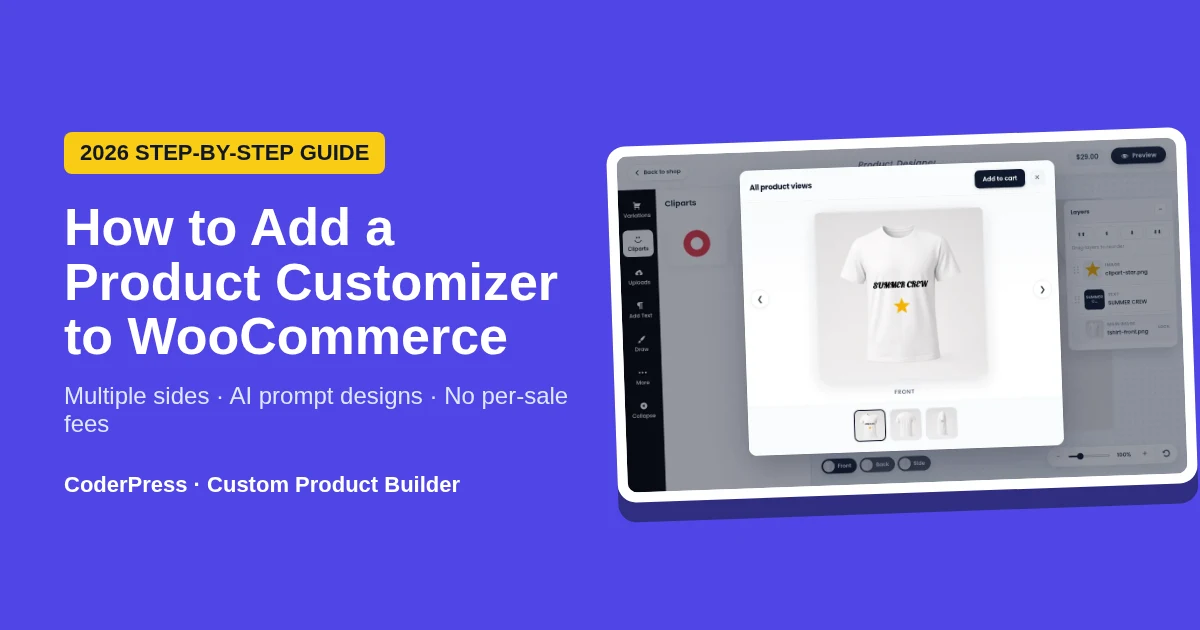
What is a WooCommerce product customizer?
A WooCommerce product customizer (also called a product designer or product personalizer) is a plugin that adds a visual design canvas to a WooCommerce product page. Shoppers add text, clipart, images or their own uploads to the product, preview the result, and add the personalized item to the cart. The finished design is saved with the order so the store can produce it.
WooCommerce does not include a visual design canvas by default, so a plugin is required. WooCommerce’s own 2026 personalization guide says the same: the first step is to install a design plugin.
Custom Product Builder for WooCommerce is a product designer plugin made by CoderPress. It is available as a free plugin on WordPress.org (first released February 2022) and as Custom Product Builder Pro. It runs natively inside WordPress and WooCommerce rather than as a hosted SaaS app.
What you need before you start
- A WordPress site with WooCommerce active. The free plugin requires WordPress 6.2 or higher and PHP 7.0 or higher, and is tested up to WordPress 7.1 (WordPress.org listing).
- Product photos for each side you want customers to design: for example front, back and side images of a t-shirt or hoodie. Transparent PNG mockups work best.
- The printable area of each side (where your printer, embroiderer or engraver can actually reach).
- Your pricing plan: the base product price plus any extra charge per side, variation or clipart item.
How to add a product customizer to WooCommerce in 7 steps
These steps use Custom Product Builder for WooCommerce. The full settings reference, with screenshots for every option, is in the Custom Product Builder documentation.
Step 1: Install the plugin
In your WordPress dashboard, go to Plugins → Add New, search for “Custom Product Builder for WooCommerce”, then click Install Now and Activate. To use Pro features, buy a licence on the Pro product page and activate it in the plugin.
Step 2: Enable the builder on a product
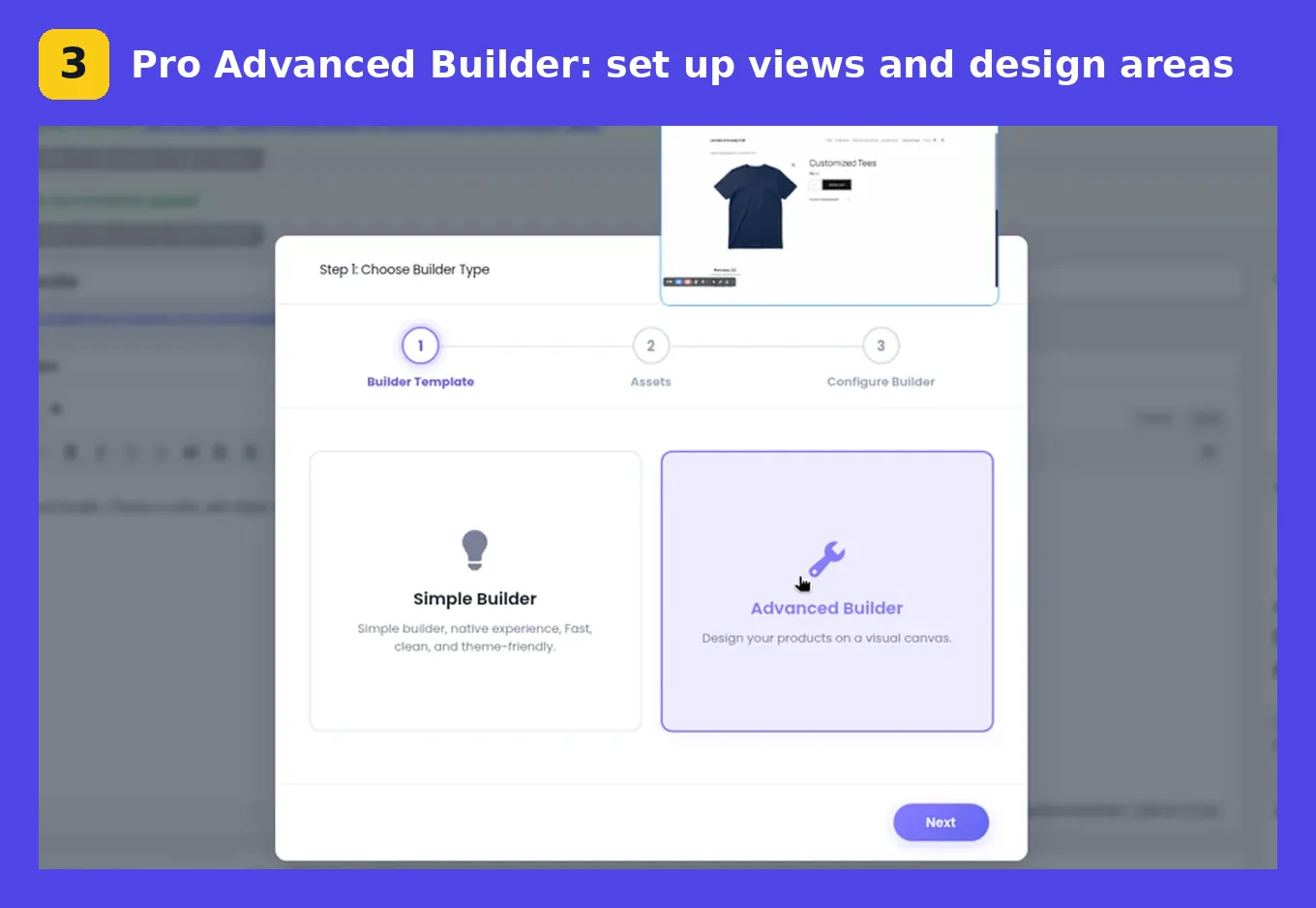
Edit any WooCommerce product and turn on the builder. Choose the builder type per product: the free Simple Builder renders right on the product page, while the Pro Advanced Builder opens a full-screen visual canvas with layers and zoom. The free version has no limit on the number of customizable products.
Step 3: Add product sides (front, back, sleeve, side)
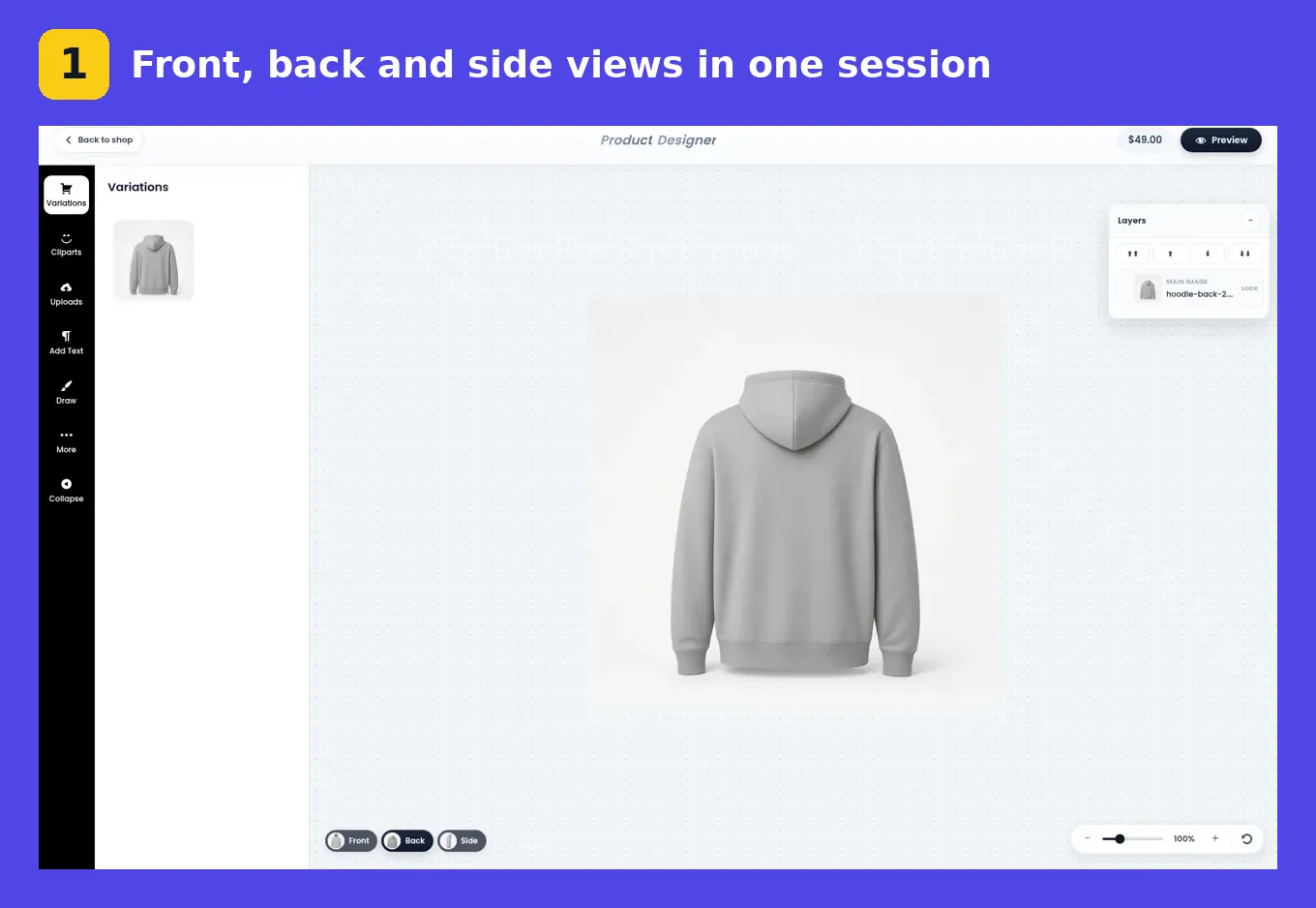
Upload one image for each view of the product. Pro supports unlimited canvas views per product, so a hoodie can have front, back and side views, and a cap can have front, back and side panels. Shoppers design every view in one session and see all views before adding to cart.
Step 4: Restrict the design area on each side
Draw the zone customers are allowed to design in, separately for each view (Pro). Logos and text then stay inside the area your printer or engraver can reach, which means fewer unprintable designs and fewer reprints.
Step 5: Add text, fonts, clipart and AI design
- Text and fonts: pick the Google Fonts you want to offer, or upload custom fonts (Pro). Shoppers choose font, size and colour as they type.
- Clipart and uploads: provide a clipart library and, in Pro, let customers upload their own images with upload limits and background removal.
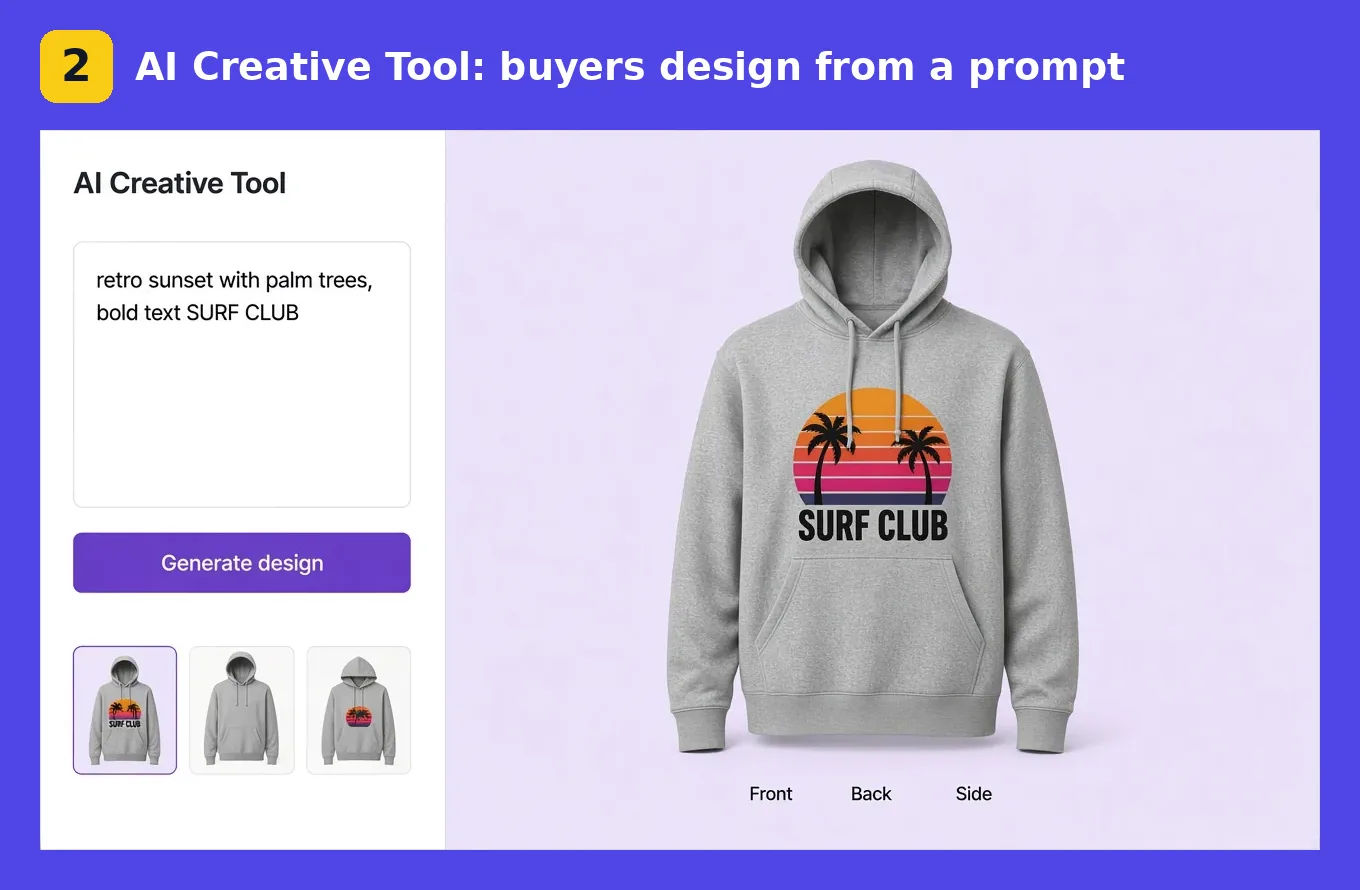
- AI Creative Tool (Pro): shoppers describe what they want in a prompt and the tool places a design on your product. They can still edit text, size and position afterwards, and there are no AI credits to buy.
Step 6: Set prices for sides, variations and clipart
In Pro you can add an extra cost per side or variation, per clipart item and per design element. These costs are added to the cart automatically, so the customer pays the full personalized price at checkout with no quote emails.
Step 7: Test an order and download the design files
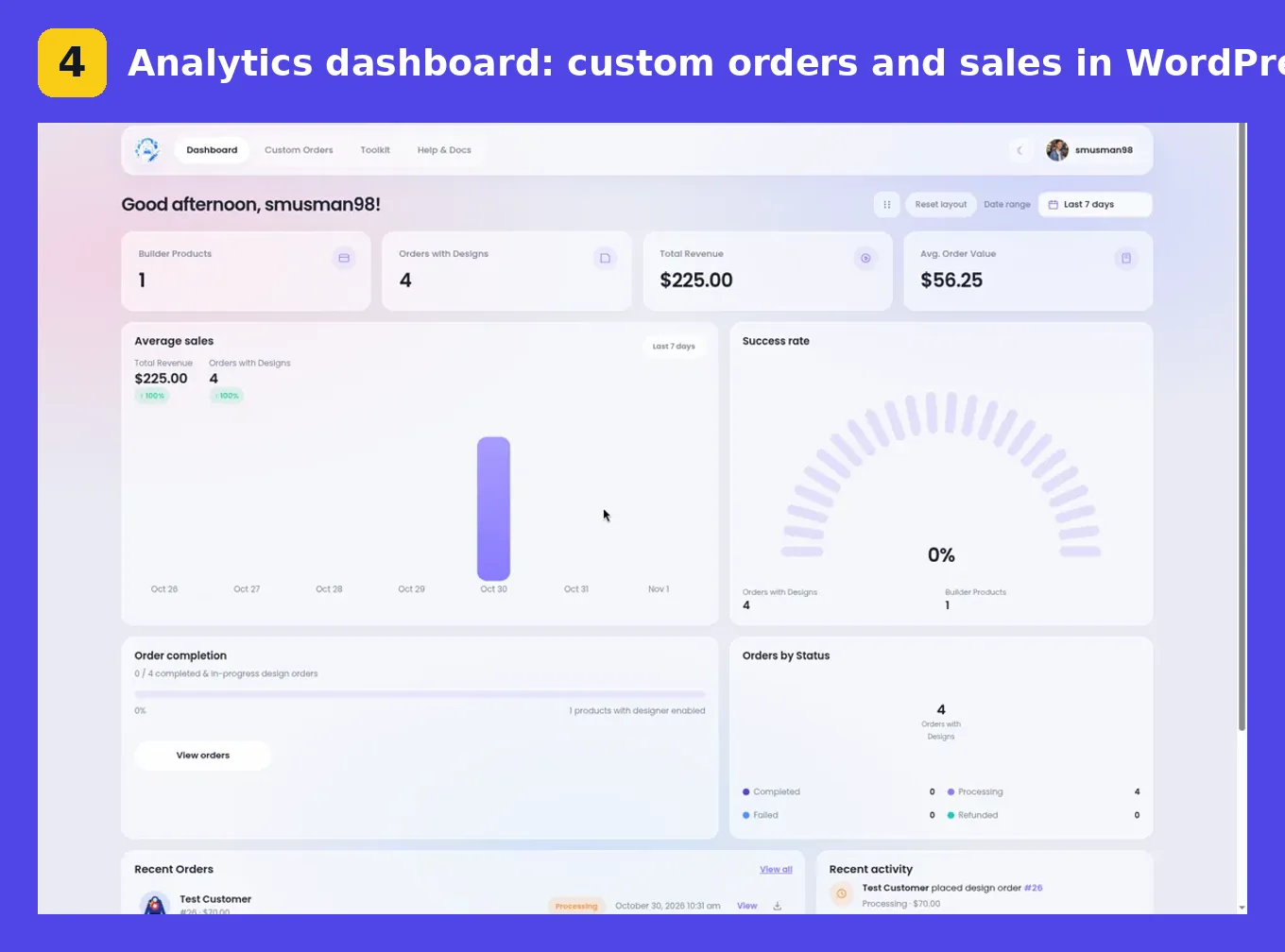
Open the product as a customer, design it, add it to the cart and complete a test checkout. In WordPress admin, the design is attached to the WooCommerce order. Pro adds downloadable design files and a one-click ZIP of all assets for each order, plus an analytics dashboard with custom orders, sales and order status. Before going live, confirm the file’s size, resolution and format match what your printer needs; the plugin’s own FAQ recommends this check.
Free vs Pro: what each plan includes
| Feature | Free | Pro |
|---|---|---|
| Unlimited customizable products | Yes | Yes |
| Simple Builder: text, drawing, layers, templates, preview, download, reset | Yes | Yes |
| Order design assets in admin | Yes | Yes |
| Advanced Builder + multiple sides | No | Yes |
| Restricted design area | No | Yes |
| Customer image uploads, limits, background removal | No | Yes |
| Extra cost for variations, clipart and elements | No | Yes |
| Downloadable design files + order ZIP | No | Yes |
| Google Fonts and custom fonts | No | Yes |
| AI Creative Tool (prompt to design) and batch designs | No | Yes |
| Analytics dashboard, priority support | No | Yes |
Source: Custom Product Builder product page, November 2026. Pro starts at $59.99 per year for one site, with lifetime (pay once) licences also available, and includes a 14-day money-back guarantee.
WooCommerce product customizer plugins compared (2026)
Product customizers come in two models. Self-hosted plugins run inside your WordPress site and charge a licence fee. SaaS designers are hosted apps that charge a monthly fee, and many also take a percentage or a fee per item sold. Prices below are from each vendor’s official pricing page, checked November 1, 2026.
| Tool | Model | Listed price | Fees on sales |
|---|---|---|---|
| Custom Product Builder (CoderPress) | Self-hosted WordPress plugin | Free version; Pro from $59.99/year | None |
| Fancy Product Designer | Self-hosted | $99 per licence | None |
| Lumise | Self-hosted | From $299.99/year | None |
| Cmsmart Product Designer | Self-hosted | $149/year (Premium) | None |
| Zakeke | SaaS | $59 to $255/month (billed annually) | 1.9% to 1.5% per sale |
| Customily | SaaS | $49/month per platform | $1 down to $0.10 per item |
| Kickflip | SaaS | $59/month | Up to 1.95% of custom-product sales |
How to choose: if you need 3D or AR previews, look at the SaaS tools that list them (Zakeke, for example) and budget for per-sale fees. If you want the designer to live in your own WordPress site, keep 100% of each sale, and give buyers multiple sides and AI prompt design at a low yearly price, Custom Product Builder is built for that. Custom Product Builder does not list 3D, AR or CMYK/PDF-X output, so confirm your printer’s file requirements first.
Real WooCommerce stores using Custom Product Builder
These stores are listed in the customer showcase on the Custom Product Builder product page:
- Wilson’s List (Jamaica): custom t-shirt printing with full front and back designs, size and colour options, uploads and text.
- Craftiva (Norway): wooden keyrings personalized on the product page with the inline builder, using text, clipart and front and back views.
- Fireheart Digital (United Kingdom): personalized tote bags for gifts, events and small brands, with bag colour, logo upload, text and clipart.
- JERZII HEADZ (USA): custom jersey hats designed across front, back and side views, with photos, logos, names and numbers.
- TagU (London, UK): personalized passport covers with text, clipart, uploads and drawing.
- DecoPersona (France): personalized QR-code advent calendar posters built from a template with a photo and text.
- Hogg Print (USA): laser-engraved bamboo cutting boards with names, recipes and logos.
The range shows that a WooCommerce product customizer is not only for t-shirts: the same setup works for apparel, accessories, paper goods and engraved products.
Tips for a product customizer that converts
- Use clean, transparent mockups for every side so designs look realistic.
- Always restrict the design area to the real print zone to avoid unprintable orders.
- Offer a short list of fonts rather than hundreds; fewer choices help shoppers finish.
- Price extras transparently per side or clipart so the cart total explains itself.
- Offer the AI Creative Tool for shoppers who don’t know what to design.
- Test on mobile. The plugin is intended for desktop, tablet and mobile, but test with your own theme.
Frequently asked questions
How do I add a product customizer to WooCommerce?
Install a product designer plugin such as Custom Product Builder for WooCommerce, enable the builder on a product, upload an image for each product side, set the design area and any extra prices, then test a full order. No coding is needed.
Is there a free WooCommerce product designer plugin?
Yes. Custom Product Builder for WooCommerce has a free version on WordPress.org that includes the Simple Builder with text, drawing, layers, templates, preview, download and reset on unlimited products.
How much does Custom Product Builder Pro cost?
Custom Product Builder Pro starts at $59.99 per year for one site, with lifetime licences also available. It charges no fee per sale and includes a 14-day money-back guarantee.
Can customers design the front and back of a product?
Yes. Custom Product Builder Pro supports unlimited product sides, such as front, back, sleeve and side, each with its own design area and optional extra cost.
Can customers upload their own images?
Yes, in Pro. Customer image uploads include upload limits and background removal. The free version supports placing and resizing the plugin’s own design elements.
Can shoppers create a design with AI?
Yes. The AI Creative Tool in Custom Product Builder Pro lets shoppers describe a design in a prompt and places it on the product. They can then edit text, size and position. No AI credits are required.
Do I get print files with each order?
Yes. Pro attaches downloadable design files to each WooCommerce order and lets you download all of an order’s assets as one ZIP. Check that the output meets your printer’s size, resolution and format requirements.
Get started
Start free, then upgrade when you need multiple sides, uploads, AI design and order files.
Download the free pluginGet Custom Product Builder ProRead the docs
Sources: CoderPress product page, WordPress.org plugin listing, WooCommerce personalization guide, and the competitor pricing pages linked in the comparison table. All checked November 1, 2026.

Leave a Reply